
Platformy e-commerce w Polsce 2026 – który system wybrać dla swojego sklepu internetowego?Wybór odpowiedniej platformy e-commerce w polsce to jedna z najważniejszych decyzji przy zakładaniu sklepu internetowego. W Polsce mamy

Historyczna transakcja – przejęcie Presta Shop przez polską firmę11 grudnia 2025 roku zapisze się w historii polskiego e-commerce jako dzień, w którym polska firma weszła do „pierwszej ligi” światowego handlu
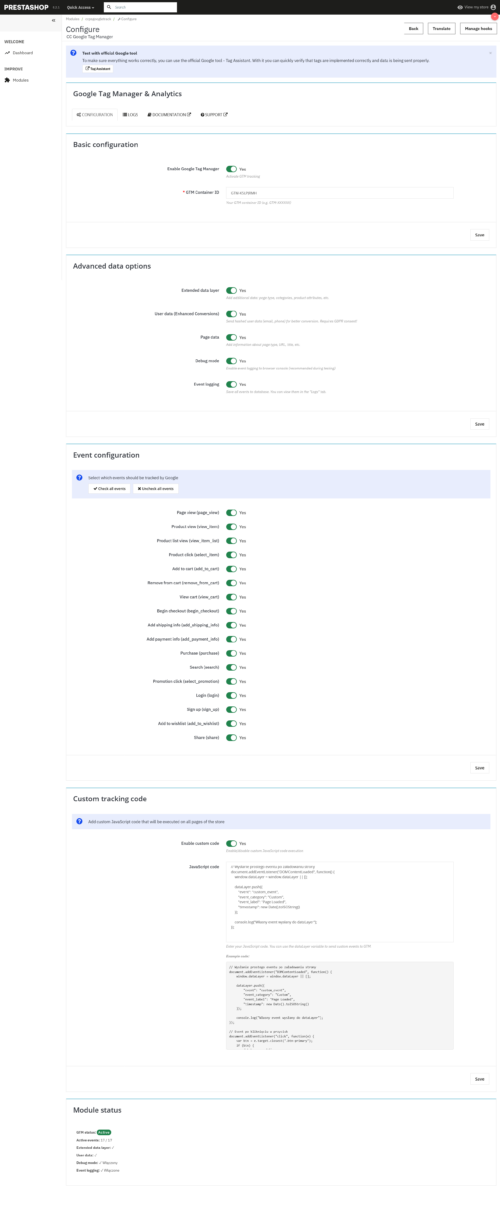
Dokumentacja Presta Shop Google Tag Manager Kompleksowa dokumentacja dla modułu Presta Shop zaawansowanej integracji z Google Tag Manager (cc_ps_googletrack) z obsługą Enhanced Ecommerce, Enhanced Conversions oraz pełną konfiguracją eventów. Spis
Czym jest demo Presta Shop i dlaczego warto je testować?Presta Shop to jedno z najpopularniejszych rozwiązań e-commerce na rynku. Przed wdrożeniem tego systemu na własnej stronie, warto sprawdzić jego możliwości
Pobierz Presta Shop – Oficjalne Wersje Platformy E-commerce Szukasz miejsca, gdzie możesz bezpiecznie pobrać Presta Shop w dowolnej wersji? Trafiłeś idealnie! Presta Shop to darmowa platforma open-source do tworzenia profesjonalnych
Dokumentacja Presta Shop Masowa Aktualizacja Produktów Kompleksowa dokumentacja dla modułu masowej aktualizacji ilości i cen produktów w Presta Shop z obsługą importu plików, zadań CRON oraz aktualizacji według kryteriów (cc_ps_mass_update_product).
Paczkomaty In Post Presta Shop to dzisiaj podstawa każdego sklepu internetowego w Polsce. Klienci uwielbiają tę opcję dostawy, bo jest tania, wygodna i dostępna 24 godziny na dobę. Jeśli prowadzisz
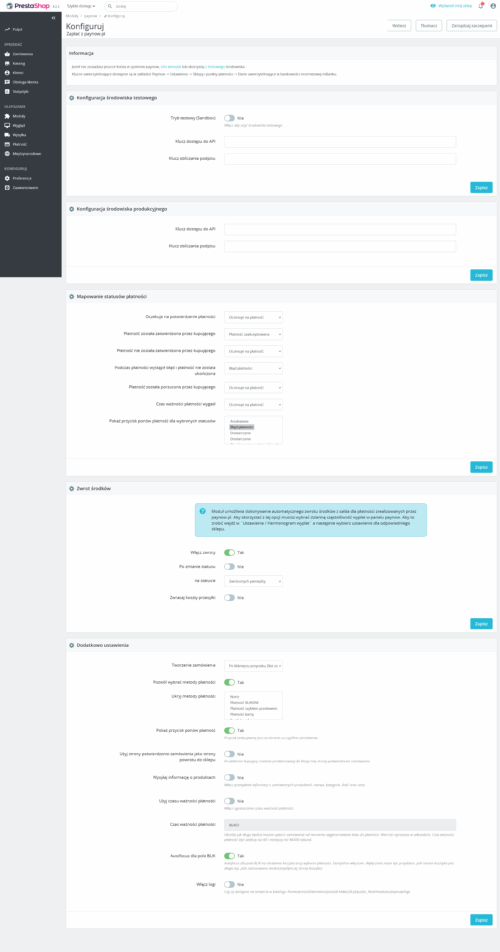
Dokumentacja Presta Shop Paczkomaty In Post Kompleksowa dokumentacja dla modułu umożliwiającego integrację Presta Shop z systemem In Post Paczkomaty (cc_ps_paczkomaty). Spis treści Wprowadzenie Instalacja Aktywacja licencji Konfiguracja API In Post Ustawienia
Dokumentacja Presta Shop Kategorie Na Stronie Głównej Kompleksowa dokumentacja dla modułu wyświetlania kategorii na stronie głównej Presta Shop (cc_ps_home_categories) z zaawansowanymi opcjami stylizacji, wieloma trybami wyświetlania i pełną kontrolą nad
Dokumentacja Presta Shop Znak Wodny Kompleksowa dokumentacja dla modułu znaku wodnego dla Presta Shop (cc_ps_watermark) z zaawansowanym systemem kopii zapasowych, automatyczną regeneracją miniaturek i szczegółowym zarządzaniem znakami wodnymi. Spis treści
Używamy plików cookie, aby poprawić komfort korzystania z strony. Korzystając z niej, wyrażasz na to zgodę.
Preferencje plików cookie
Zarządzaj swoimi preferencjami dotyczącymi plików cookie poniżej:
Niezbędne pliki cookie umożliwiają korzystanie z podstawowych funkcji i są niezbędne do prawidłowego działania strony internetowej.
Nazwa
Opis
Czas trwania
Cookie Preferences
This cookie is used to store the user's cookie consent preferences.
30 days
These cookies are needed for adding comments on this website.
Nazwa
Opis
Czas trwania
comment_author
Used to track the user across multiple sessions.
Session
comment_author_email
Used to track the user across multiple sessions.
Session
comment_author_url
Used to track the user across multiple sessions.
Session
These cookies are used for managing login functionality on this website.
Nazwa
Opis
Czas trwania
wordpress_logged_in
Used to store logged-in users.
Persistent
wordpress_sec
Used to track the user across multiple sessions.
15 days
wordpress_test_cookie
Used to determine if cookies are enabled.
Session
Pliki cookie statystyczne gromadzą informacje w sposób anonimowy. Informacje te pomagają nam zrozumieć, w jaki sposób użytkownicy korzystają z naszej strony internetowej.
Google Analytics is a powerful tool that tracks and analyzes website traffic for informed marketing decisions.
Used to monitor number of Google Analytics server requests when using Google Tag Manager
1 minute
_gac_
Contains information related to marketing campaigns of the user. These are shared with Google AdWords / Google Ads when the Google Ads and Google Analytics accounts are linked together.
90 days
__utma
ID used to identify users and sessions
2 years after last activity
__utmt
Used to monitor number of Google Analytics server requests
10 minutes
__utmb
Used to distinguish new sessions and visits. This cookie is set when the GA.js javascript library is loaded and there is no existing __utmb cookie. The cookie is updated every time data is sent to the Google Analytics server.
30 minutes after last activity
__utmc
Used only with old Urchin versions of Google Analytics and not with GA.js. Was used to distinguish between new sessions and visits at the end of a session.
End of session (browser)
__utmz
Contains information about the traffic source or campaign that directed user to the website. The cookie is set when the GA.js javascript is loaded and updated when data is sent to the Google Anaytics server
6 months after last activity
__utmv
Contains custom information set by the web developer via the _setCustomVar method in Google Analytics. This cookie is updated every time new data is sent to the Google Analytics server.
2 years after last activity
__utmx
Used to determine whether a user is included in an A / B or Multivariate test.
18 months
_ga
ID used to identify users
2 years
_gali
Used by Google Analytics to determine which links on a page are being clicked
30 seconds
_ga_
ID used to identify users
2 years
_gid
ID used to identify users for 24 hours after last activity
24 hours
SourceBuster is used by WooCommerce for order attribution based on user source.
Nazwa
Opis
Czas trwania
sbjs_session
The number of page views in this session and the current page path
30 minutes
sbjs_udata
Information about the visitor’s user agent, such as IP, the browser, and the device type
session
sbjs_first
Traffic origin information for the visitor’s first visit to your store (only applicable if the visitor returns before the session expires)
session
sbjs_current
Traffic origin information for the visitor’s current visit to your store
session
sbjs_first_add
Timestamp, referring URL, and entry page for your visitor’s first visit to your store (only applicable if the visitor returns before the session expires)
session
sbjs_current_add
Timestamp, referring URL, and entry page for your visitor’s current visit to your store
session
sbjs_migrations
Technical data to help with migrations between different versions of the tracking feature